
How to pay for a subscription by bank card via Telegram
Five simple steps to complete your SpiicyBox payment 🔥
- Step 1
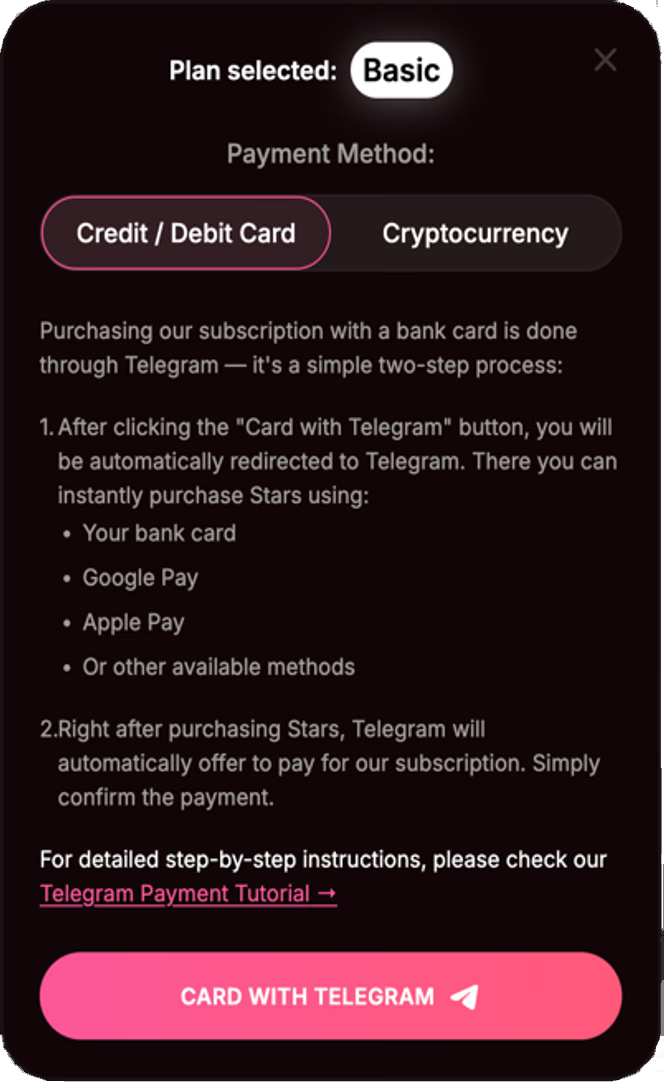
Go to the subscription page, choose your plan and click “Card with Telegram”.
- Step 2
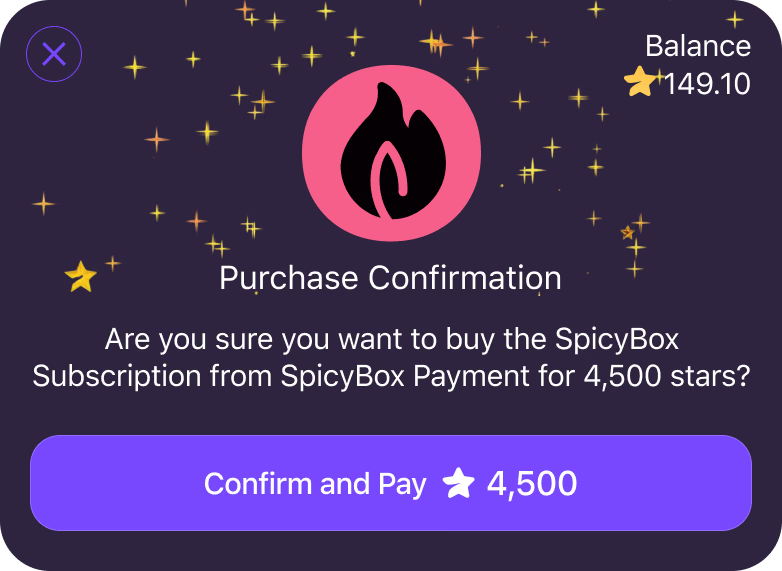
Telegram opens your SpiicyBox invoice. Check the plan and the amount of Stars before continuing.
- Step 3
If you need more Stars, tap “Confirm and Pay” in the invoice.
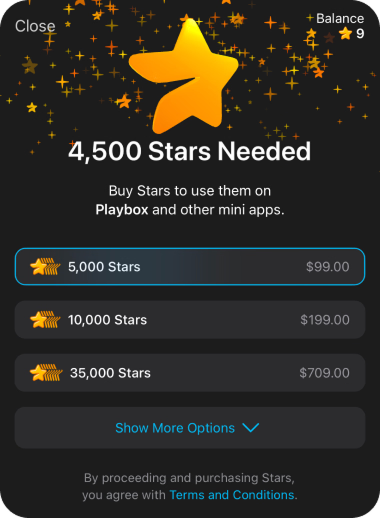
Telegram may offer a window where you can buy the missing Stars. If you already have enough, skip the top-up.
- Step 4
Choose a Stars package and use an available payment method:
- Bank card
- Google Pay
- Apple Pay
- Other methods offered by Telegram
- Step 5
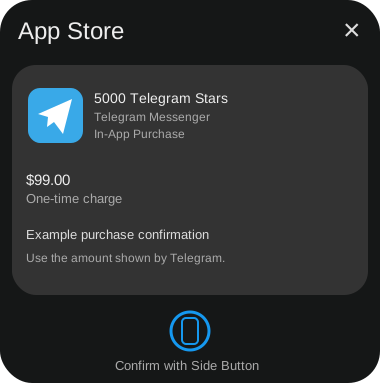
Finish paying the Telegram invoice and return to SpiicyBox. Your subscription is activated after the payment is confirmed.
👉 Note: Buying Stars only adds to your Telegram balance. If the invoice has not been paid, return to the subscription page, reopen the same invoice and confirm its payment.
Important tips:
- 1
Stars were bought but the subscription is still unpaid?
Return to the subscription page, open your existing invoice and confirm the payment. You do not need to buy Stars again if your balance is sufficient.
- 2
Cannot pay with your card?
Try another payment method offered in Telegram, or top up the wallet separately. On a phone, available methods may include Apple Pay or Google Pay.
- 3
The price of Stars can differ
Telegram shows the final price of the Stars package before purchase. Package sizes, currency and available payment methods can affect the amount you pay.
- 4
Payment completed but credits have not appeared?
Check the purchase status on the subscription page. If you have a payment receipt and the purchase is still missing, contact our support. Do not pay the invoice again.
Illustrations show example amounts and screens. Use the details in your own invoice.
Questions about paying by bank card via Telegram?
Contact our Telegram support for help with the payment.
Contact Support